
Have you ever searched for something on Google and clicked one of the first few results? Perhaps you were looking for a digital marketing agency, a skincare product, or a guide to building a website.
Have you ever wondered how those websites appeared in the search results?
One of the key factors behind their visibility is Search Engine Optimisation (SEO).
SEO helps businesses improve their websites so search engines can discover, understand, and potentially display their pages when people search for relevant information, products, or services.
In our guide on what digital marketing is, we explained how businesses use digital channels to reach their audiences. SEO is one of those channels—and an important part of building a long-term online presence.
In this beginner-friendly guide, you will learn what SEO is, how it works, why it matters, the different types of SEO, practical optimisation techniques, useful tools, and common mistakes to avoid.
What Is SEO?
SEO stands for Search Engine Optimisation. It is the process of improving a website to increase its visibility in unpaid search engine results for relevant queries.
In simple words, SEO helps your website become easier for search engines and people to find and understand.
Imagine you own a digital marketing agency called Webskite. You offer services such as search engine optimisation, social media marketing, and website development.
Someone searches Google for “digital marketing services for small businesses.”
If Webskite has a useful, relevant page about those services and the page is accessible to search engines, it may appear in the search results. SEO helps improve the likelihood that the page will be discovered and considered relevant.
However, SEO does not guarantee a particular ranking. Search engines consider many factors, and results can vary by query, competition, location, and other circumstances.
What Is Organic Traffic?
Organic traffic refers to visits that come to a website through unpaid search results.
For example, if someone searches “what is content marketing” on Google and clicks an unpaid result that leads to your blog, that visit is organic search traffic.
Organic traffic differs from paid search traffic, where a business pays for advertising placements.
Related reading: What Is Digital Marketing? A Complete Beginner’s Guide
How Does SEO Work?
Search engines aim to provide useful, relevant results for users’ queries. To do this, they discover web pages, analyse their content, and determine which pages may be most helpful for a particular search.
Google’s search process can be understood through three major stages.
Step 1: Crawling
Crawling is the process through which search engines discover pages and retrieve information from them.
Search engine crawlers can discover URLs through links, sitemaps, and other sources.
For example, if Webskite publishes a new article and links to it from an existing blog, that internal link can help Google discover the new page.
Step 2: Indexing
After discovering a page, Google may analyse its content and other information to determine whether it should be included in its search index.
The index is a large collection of information about pages that Google has processed.
Not every discovered page is necessarily indexed. Technical issues, duplicate content, and other factors may affect indexing.
Step 3: Serving Search Results
When someone enters a search query, Google evaluates relevant pages and generates results based on its ranking systems.
For example, someone searching for “beginner SEO tips” may see educational guides, tutorials, videos, and other relevant content.
SEO helps you make your pages accessible, understandable, useful, and relevant to the audience you want to reach.
The SEO Process at a Glance
Crawling → Indexing → Search relevance and ranking → Search results → Potential organic traffic
Important: SEO is not a process of simply adding keywords to a page. Search engines use complex systems, and there is no single trick that guarantees top rankings.
3. Why Is SEO Important?
SEO can help businesses attract relevant visitors who are actively searching for information, products, or services.
Here are some key benefits.
3.1 Improves Online Visibility
A well-optimised page may appear for relevant search queries, making it easier for potential customers to discover your business.
For Webskite, useful pages targeting relevant digital marketing topics could introduce the brand to people researching marketing services.
3.2 Attracts Relevant Visitors
SEO starts with understanding what people search for and why they search for it.
Someone searching for “what is SEO” probably wants information, while someone searching for “SEO agency in Noida” may be comparing service providers.
Creating content that matches the searcher’s intent helps attract a more relevant audience.
3.3 Supports Long-Term Marketing
Paid advertising can stop generating paid traffic when a campaign ends. An organic search page, by contrast, may continue attracting visitors over time if it remains relevant and competitive.
However, organic visibility requires ongoing maintenance, and rankings and traffic can fluctuate.
3.4 Builds Trust and Credibility
Paid advertising can stop generating paid traffic when a campaign ends. An organic search page, by contrast, may continue attracting visitors over time if it remains relevant and competitive.
However, organic visibility requires ongoing maintenance, and rankings and traffic can fluctuate.
3.4 Builds Trust and Credibility
Helpful content, accurate information, transparent business details, and a good website experience can support users’ confidence in a brand.
Ranking highly does not automatically make a business trustworthy, so credibility must be supported by the quality of the actual experience.
3.5 Supports Other Marketing Channels
SEO works alongside content marketing, social media marketing, and paid advertising.
For example, a useful blog can attract organic traffic, be repurposed into social media posts, and support an email newsletter.
Learn more about the broader strategy in our guide to content marketing.
4. Key SEO Strategies
SEO is commonly divided into on-page SEO, off-page SEO, and technical SEO. Local SEO is another important area for businesses serving customers in specific geographic locations.
4.1 Understand Search Intent
Search intent is the reason behind a user’s search.
A useful SEO strategy begins by understanding what the user wants to accomplish.
Common types of search intent include:
Informational: The user wants to learn something, such as “what is SEO.”
Navigational: The user wants to find a particular website or brand.
Commercial investigation: The user is researching options, such as “best SEO tools for beginners.”
Transactional: The user wants to complete an action, such as purchasing a service or signing up.
For Webskite, an educational article should answer informational queries, while a service page should explain the services available to potential customers.
4.2 Conduct Keyword Research
Keyword research involves identifying the words and phrases people use when searching for information related to your business.
For example, Webskite might research:
What is SEO
SEO tips for beginners
On-page SEO checklist
SEO services for small businesses
How to improve website visibility
Do not select keywords solely because they have high search volume. Consider relevance, intent, competition, and whether your page can genuinely satisfy the query.
4.3 Create Helpful Content
Publish original, useful content that addresses the audience’s questions.
A strong article should explain its topic clearly, provide examples, use accurate information, and offer meaningful next steps.
Avoid publishing multiple pages that repeat the same information without serving distinct user needs.
4.4 Improve Website Structure
Organise your website into logical categories and use descriptive internal links.
For example, Webskite’s digital marketing pillar article can link to its SEO guide, which can then link to more specialised articles about keyword research and technical SEO.
This structure helps readers explore related topics and can help search engines discover pages.
4.5 Monitor Performance
Use tools such as Google Search Console to review search impressions, clicks, click-through rate, and queries that bring visitors to your website.
Use the findings to identify pages that need better content, clearer titles, improved internal linking, or technical investigation.
Related reading: Google Analytics for Beginners: Measuring Website Performance
5. What Is On-Page SEO?
On-page SEO involves optimising elements of a web page to help search engines and users understand its content.
It includes content quality, headings, page titles, internal links, image descriptions, and other elements.
5.1 Title Tag
The title tag is an HTML element that helps communicate a page’s title to search engines and users.
For this article, a suitable title tag could be:
“What Is SEO? A Beginner’s Guide to Search Engine Optimisation”
Write descriptive titles that accurately represent the page. Google may generate a different title link in search results when it considers another version more suitable.
5.2 Meta Description
A meta description summarises the page’s content. Google may use it to generate the snippet shown in search results, although it can also select text from the page.
Example:
“Learn what SEO is, how search engines work, and explore practical strategies to improve your website’s organic search visibility.”
A relevant meta description can help users understand what they will find on your page, but it is not a direct Google ranking factor.
5.3 Headings
Headings organise content into a clear hierarchy.
H1: What Is SEO? A Beginner’s Guide
H2: How Does SEO Work?
H2: Why Is SEO Important?
H3: Improves Online Visibility
Use headings to make content easier to navigate. Include keywords naturally where they accurately describe the section.
5.4 Keyword Placement
Place your primary keyword where it makes sense, including the title, main heading, introduction, and relevant sections.
Avoid keyword stuffing—the unnatural repetition of keywords to manipulate rankings.
Google aims to provide relevant, helpful results, so write for readers rather than repeating phrases mechanically.
5.5 Internal Linking
Internal links connect one page on your website to another page on the same website.
For example, this SEO guide links back to What Is Digital Marketing? and can also link to a dedicated Google Ads beginner’s guide.
Use descriptive anchor text that tells readers what to expect when they click.
5.6 Image Optimisation
Use relevant images and descriptive alternative text where appropriate.
For example, an image illustrating the SEO process might use alt text such as:
“Diagram showing the crawling, indexing, and search results stages of SEO.”
Alt text should describe the image’s meaningful content rather than repeat keywords unnecessarily.
5.7 URL Structure
Use short, descriptive URLs that make a page’s subject clear.
For example:
A clean URL structure helps users understand page destinations and makes site management easier.
6. What Is Off-Page SEO?
Off-page SEO refers to activities outside your website that can support its reputation, visibility, and authority.
6.1 Backlinks
A backlink is a link from another website to yours.
For example, a reputable marketing publication might link to a Webskite article because it contains a useful explanation of keyword research.
Relevant, editorially earned links can help search engines discover pages and provide signals about their usefulness and reputation.
Focus on creating content that deserves references. Avoid buying links intended to manipulate rankings or participating in link schemes.
6.2 Digital PR
Digital PR involves earning attention and coverage through useful resources, original insights, expert commentary, or relevant campaigns.
For example, Webskite could publish original research about the digital marketing challenges faced by small businesses and share the findings with relevant publications.
6.3 Brand Mentions
When people discuss your brand online, those conversations can help build awareness and familiarity.
Unlinked brand mentions do not automatically function as backlinks, and their SEO impact should not be assumed. Focus on genuine reputation-building and useful contributions to your industry.
Local SEO helps businesses improve their visibility for geographically relevant searches.
A local agency can maintain an accurate Google Business Profile, provide correct business information, gather genuine customer reviews, and create useful location-relevant pages when appropriate.
For example, a digital marketing agency serving Noida may want to appear for relevant searches from businesses looking for marketing services in that area.
7. What Is Technical SEO?
Technical SEO involves improving the technical foundations of a website so search engines can access, crawl, interpret, and index its content effectively.
It also includes technical considerations that contribute to a good user experience.
7.1 Website Speed and Core Web Vitals
Pages should load efficiently and respond reliably to user interactions.
Google’s Core Web Vitals measure aspects of user experience:
Largest Contentful Paint (LCP): Measures loading performance.
Interaction to Next Paint (INP): Measures responsiveness.
Cumulative Layout Shift (CLS): Measures visual stability.
Improving these metrics can support user experience, although passing Core Web Vitals does not guarantee higher rankings.
7.2 Mobile Usability
Ensure your website works properly on mobile devices.
Check text readability, navigation, image sizing, button spacing, and the accessibility of important actions.
7.3 XML Sitemap
An XML sitemap lists important URLs that you want search engines to discover.
It can help search engines understand which pages you consider important, but submitting a sitemap does not guarantee that every URL will be crawled or indexed.
7.4 Robots.txt
A robots.txt file provides instructions to crawlers about which parts of a website they may access.
It is important to understand that robots.txt restrictions do not reliably prevent a URL from appearing in search results. Use the appropriate indexing controls when you need to prevent a page from being indexed.
7.5 Canonical Tags
A canonical tag can indicate the preferred URL among duplicate or very similar pages.
For example, if a website has multiple URLs displaying substantially the same content, a correctly implemented canonical tag can help signal which URL should be treated as the primary version.
Search engines may still select a different canonical URL based on their assessment.
7.6 Structured Data
Structured data is code that helps search engines understand specific information about a page.
For example, suitable structured data may describe an organisation, a product, or a genuinely eligible article.
Correct structured data can make a page eligible for certain search enhancements, but it does not guarantee rich results.
Related reading: Google Analytics for Beginners and Google Ads for Beginners.
8. SEO Tools for Beginners
You do not need every SEO tool to begin. Start with tools that help you understand your website, your audience, and your search performance.
Google Search Console
Google Search Console helps website owners understand how their websites perform in Google Search.
You can use it to review queries, impressions, clicks, indexing information, and certain technical issues. 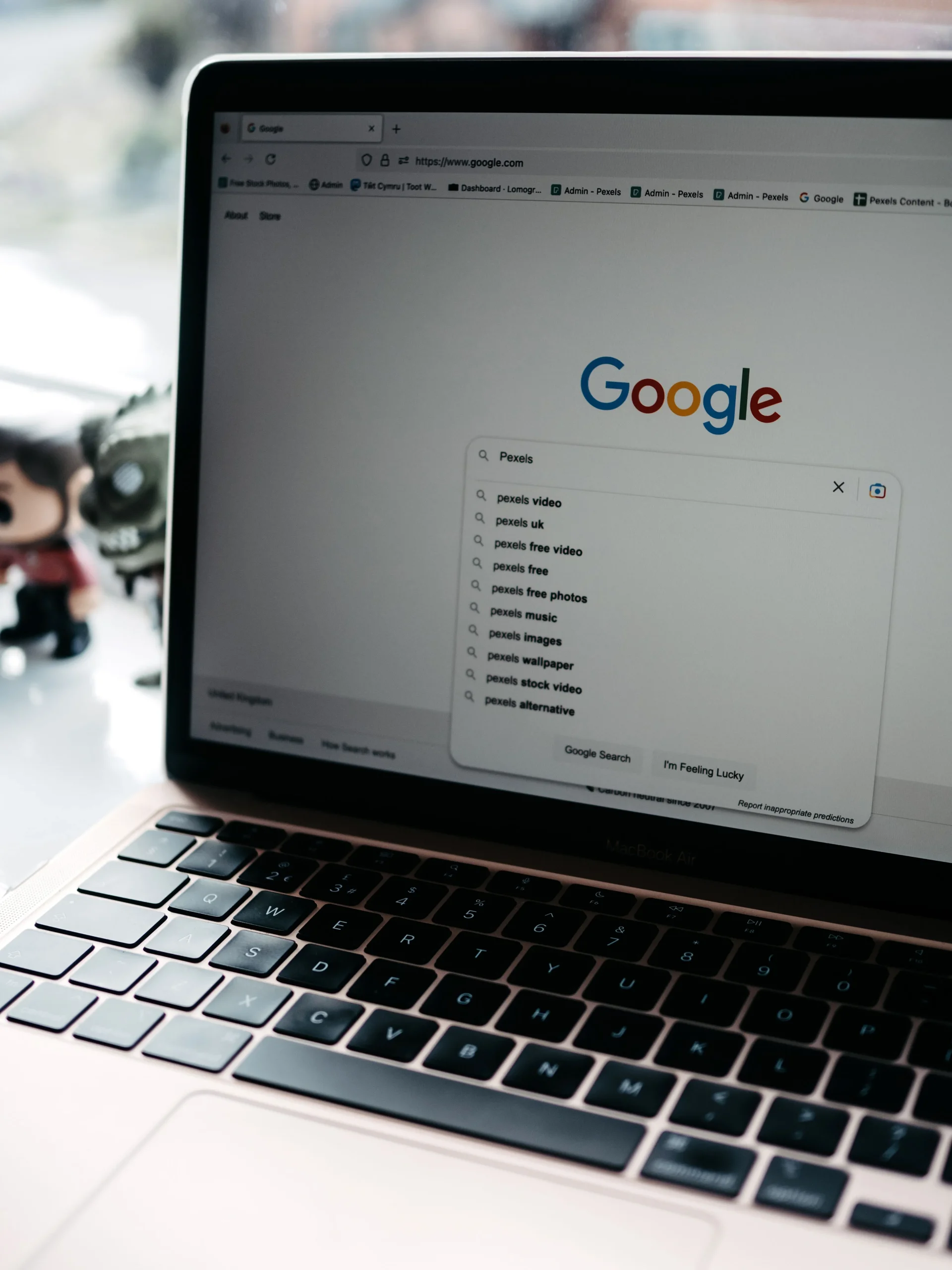
Google Analytics
Google Analytics helps analyse how users interact with your website or app.
It can help you understand traffic sources, user interactions, and conversions when appropriate measurement is configured.
Google Trends
Google Trends lets you explore patterns in search interest over time and compare topics.
It is useful for investigating trends, seasonality, and differences in interest across regions. 
Google Keyword Planner
Google Keyword Planner helps advertisers research keyword ideas and forecast potential advertising performance.
It can also provide useful keyword research insights, but its estimates are designed for Google Ads and should not be treated as precise organic search traffic forecasts.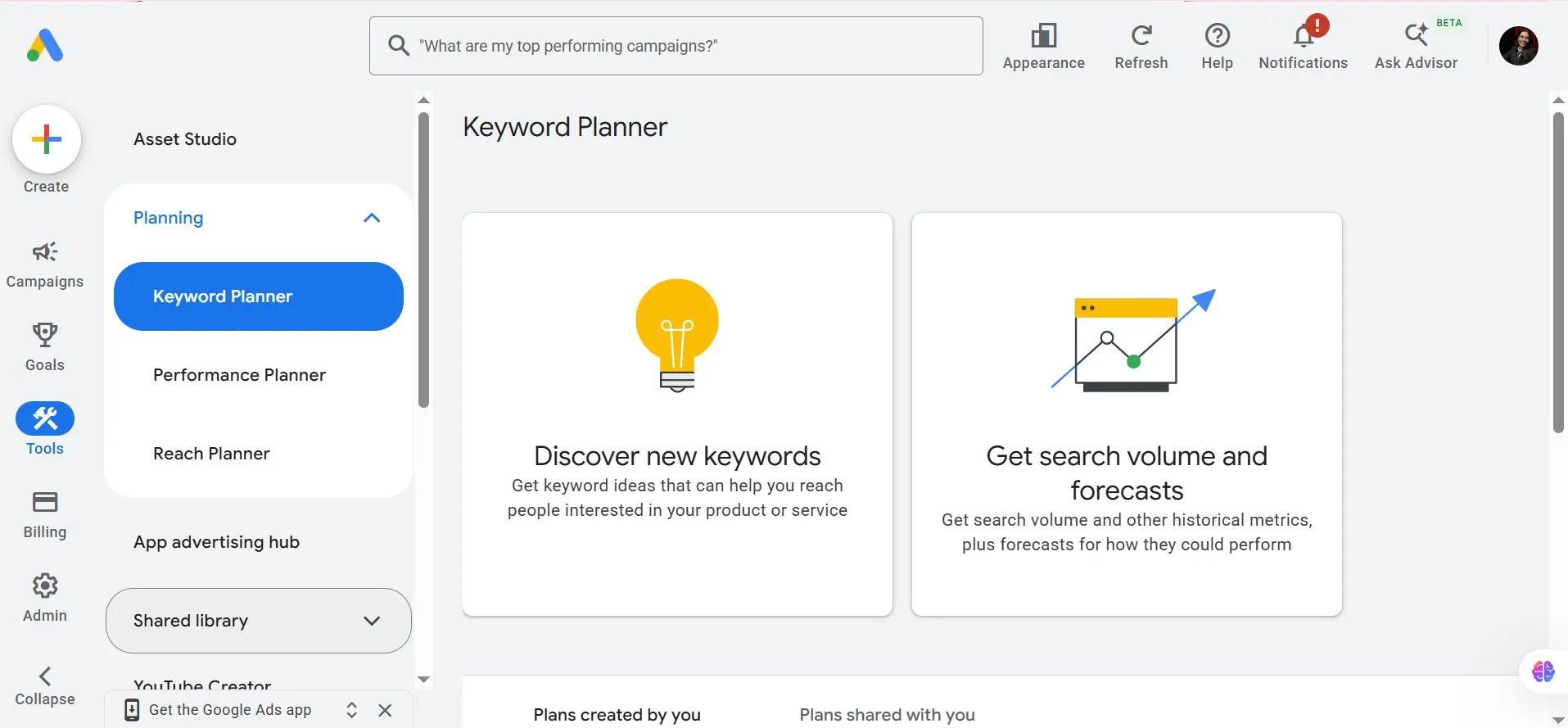
Screaming Frog SEO Spider
Screaming Frog SEO Spider can crawl websites and help identify issues such as broken links, missing page titles, duplicate metadata, and other technical SEO concerns.
Which Tool Should You Learn First?
If you are a beginner, start with Google Search Console to understand organic search performance, then learn Google Analytics to measure user activity.
Add crawling and keyword research tools as your website and SEO projects become more complex.
9. Common SEO Mistakes to Avoid
Mistake 1: Keyword Stuffing
Repeating the same keyword excessively can make content unnatural and reduce its usefulness.
Better approach: Use relevant terminology naturally and answer the user’s question comprehensively.
Mistake 2: Publishing Thin or Repetitive Content
Pages that add little value may struggle to satisfy searchers.
Better approach: Provide original insights, clear explanations, practical examples, and useful next steps.